Longevity
Your files, intact, for the long run.
You lived through the shutdown of iView MediaPro. You know what you lose when software disappears. Scrapbook takes the opposite stance: your original files are never touched. Not one metadata field overwritten, not one pixel modified, not one date altered. Your ratings, keywords, descriptions, colors and Sets live inside the Scrapbook catalog — separate from your media.
If Scrapbook were ever to disappear one day, your JPGs, RAWs, TIFFs and videos would remain perfectly readable with any tool — they will never have been altered. And your enrichments can be exported in standard formats: XMP sidecars (read by Lightroom, Capture One, Bridge…) and a documented CSV export.
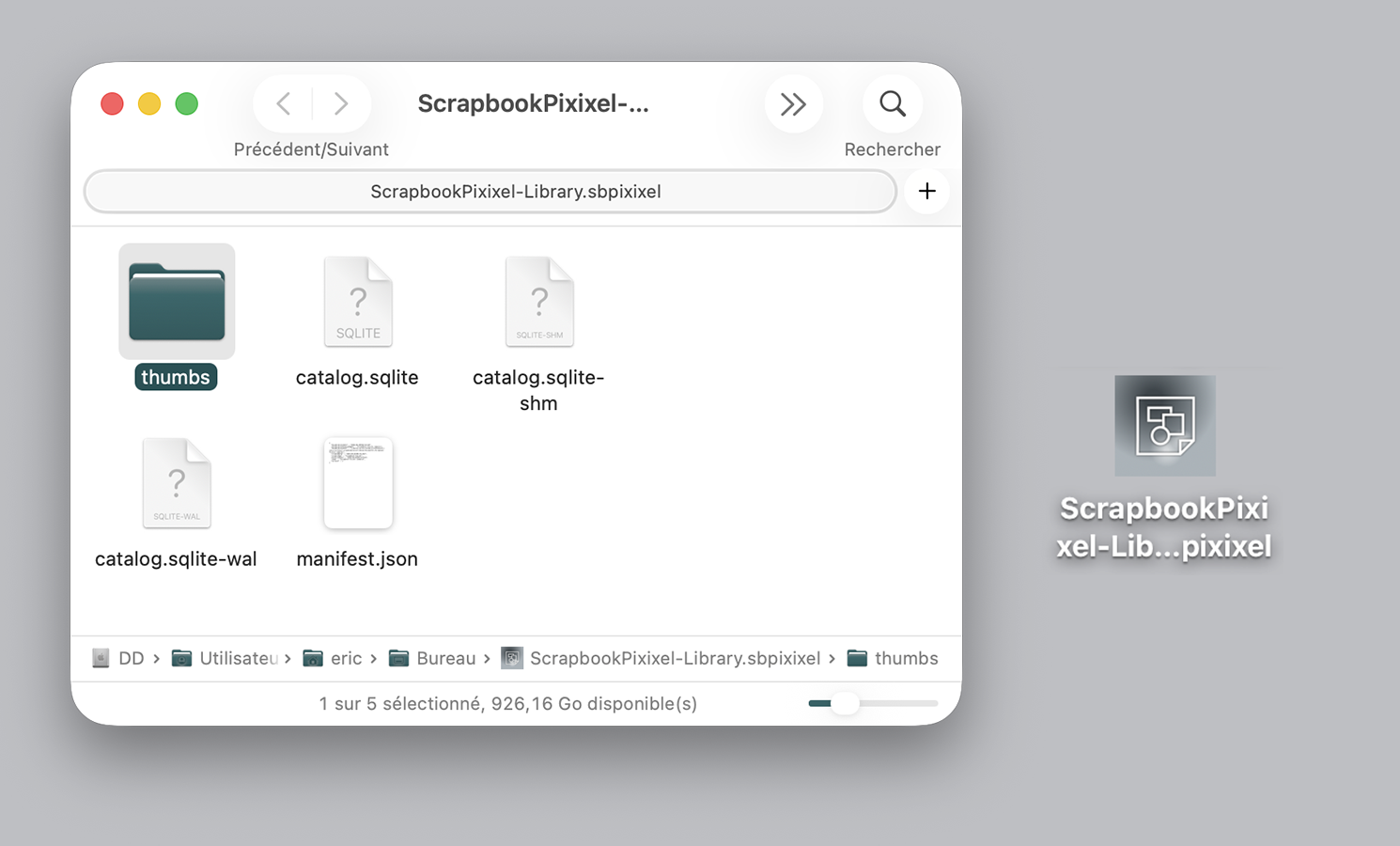
The catalog itself is not locked. A .sbpixixel file is a simple macOS bundle containing a standard catalog.sqlite file (readable by any SQL tool), a thumbs/ folder with your thumbnails in a standard image format, and a documented manifest.json. Right-click → "Show Package Contents": everything is inspectable.
- Read-only on originals — DAM discipline (Peter Krogh)
- SHA-256 integrity watchdog: detects any silent alteration
- Catalog in open SQLite format + standard thumbnails
- Standard XMP sidecars + open, documented CSV export
- No proprietary format locked onto your files
Migration without disruption
Your iView catalogs come back to life.
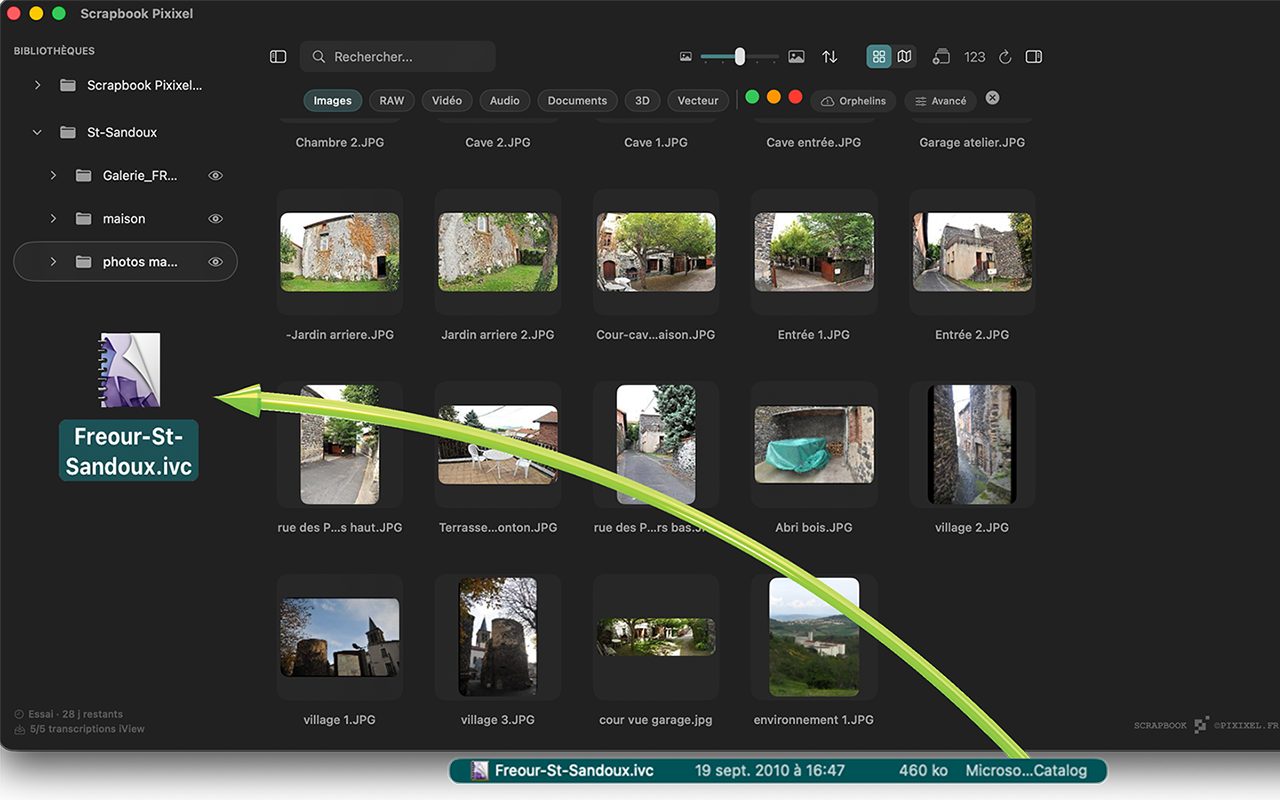
Drop an .ivc file onto Scrapbook. That's it. The transcription recovers your years of work: Sets, labels, ratings, keywords and links to the originals are rebuilt in a ready-to-use Scrapbook library. No intermediate tool, no fragile pivot format, no loss.
If some originals are missing (external drive unplugged, folder moved), the thumbnails stay visible with an "orphan" badge, and a right-click launches a Spotlight search to find them. You're no longer a prisoner of software discontinued in 2018.
- Direct import of
.ivc— menu, drag-and-drop or double-click - Sets and hierarchy preserved
- Thumbnails kept even for lost links
- Built-in Spotlight search to recover orphans
- No writing into the original
.ivc
Migration
Years of ratings and keywords — recoverable.
You're coming from another tool. The ratings, keywords, descriptions, copyrights and GPS data you've built up over the years aren't lost. Scrapbook reads catalogs and sidecars from the main competitors directly and re-attaches that metadata to your files — without writing a single byte to your originals.
- Adobe Lightroom Classic — direct read of the
.lrcat(ratings, keywords, descriptions, GPS, dates). - Adobe Bridge, Capture One, Photo Mechanic, DxO PhotoLab, darktable — import of standard
.xmpsidecars. - iView MediaPro / Microsoft Expression Media — native transcription of
.ivccatalogs, even the oldest ones (the only Mac app doing this in 2026). - Photo Supreme, Mylio, Aperture (via export), NeoFinder… — CSV or TSV import — as long as the tool can export a table.
Matching is done by filename, tolerant of common variations (case, stray spaces at start or end). Your enrichments live in the Scrapbook catalog — separate from your media — and remain re-exportable as standard .xmp sidecars at any time.
The advantage: switching tools is no longer a leap of faith. And if a publisher shuts down tomorrow — as iView shut down in 2018, as Aperture shut down in 2014 — you'll know how to read its catalogs later.
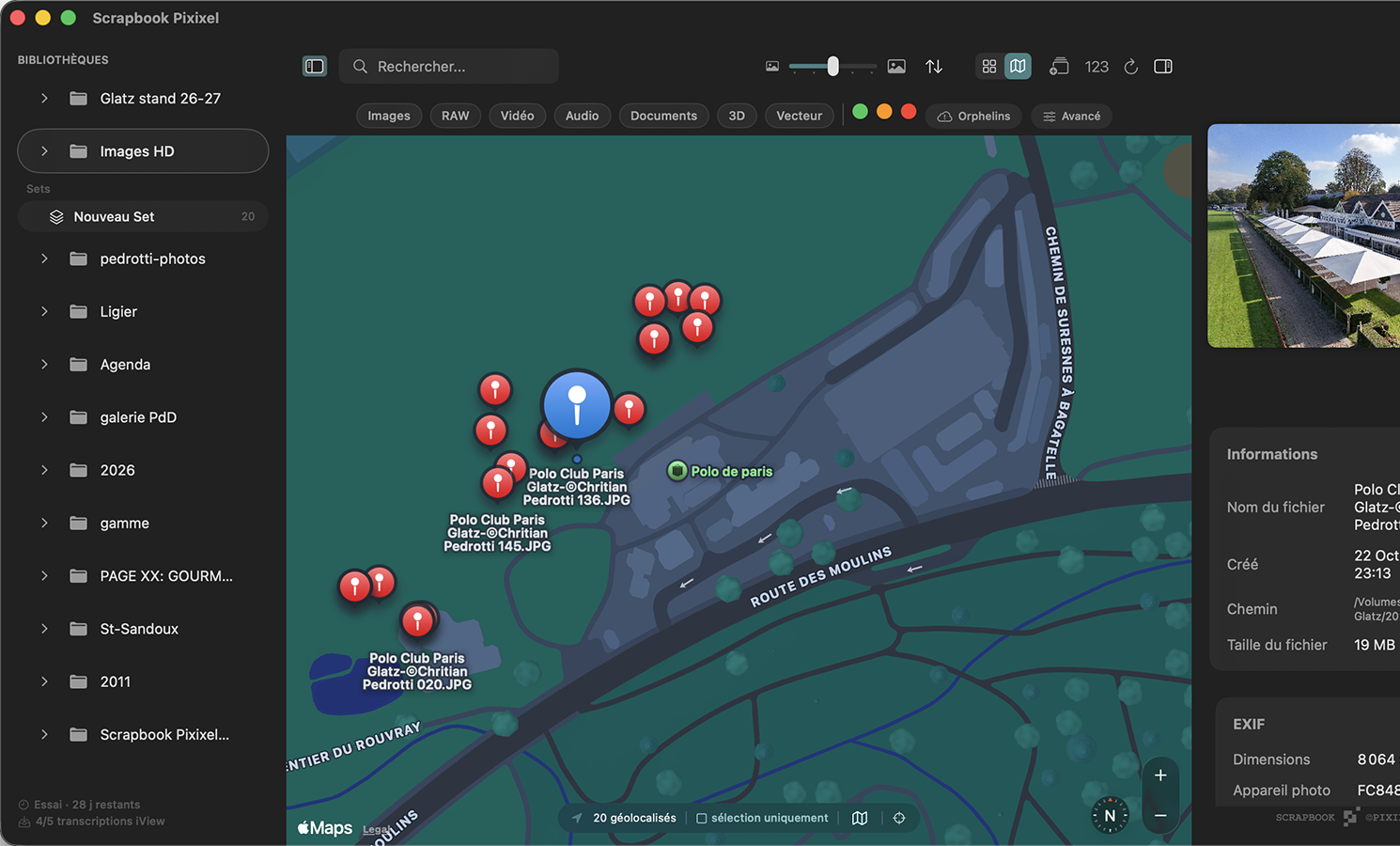
Geolocation
Your photos on a map.
All your geotagged photos appear on an interactive map — standard, satellite, hybrid. Zoom into a trip, a city, a neighborhood. Click a point to open the photo, select a group to export them or add them to a Set.
You choose the scope: the current selection, the active folder, or the entire library. Coordinates come from the EXIF data in your files — Scrapbook only reads and displays them, locally.
- 3 map styles: standard, satellite, hybrid
- Scope of your choice: selection / folder / library
- Click a point → instantly open the photo
- Read-only on coordinates (never any EXIF writing)
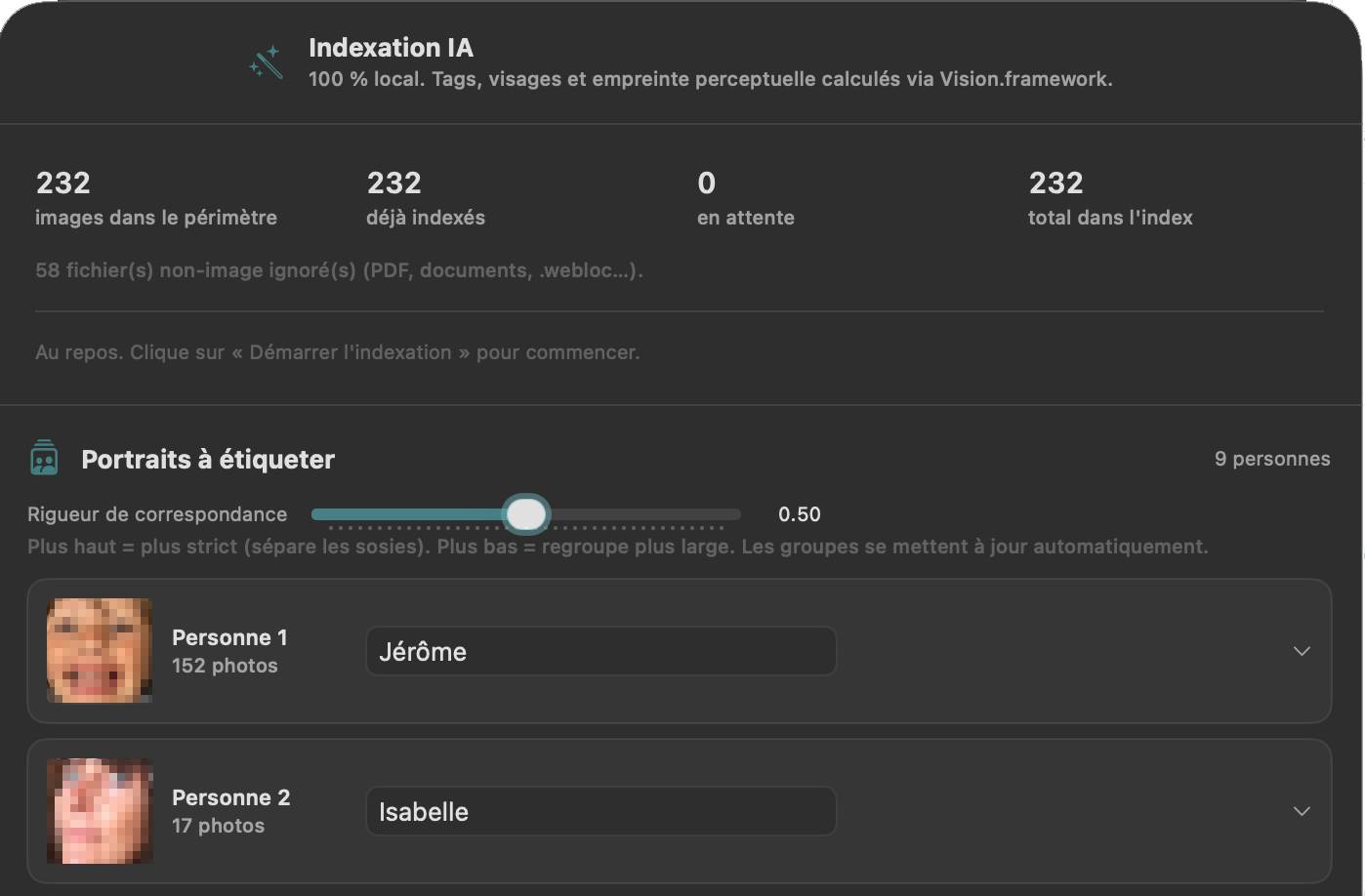
People recognition
Find anyone, instantly.
Scrapbook automatically groups the faces of the same person. Give a person a name — it becomes a keyword — and find all their photos with a single search, then build an album. A “strictness” slider separates look-alikes or groups more loosely.
It all happens on your Mac, using Apple's frameworks: face detection and identity signatures are computed locally. No image and no biometric data is ever transmitted — and your original files stay untouched.
- Automatic grouping of faces by person
- Name a person → instantly searchable (keyword)
- Adjustable strictness slider to separate or group
- 100% on-device — no biometric data transmitted
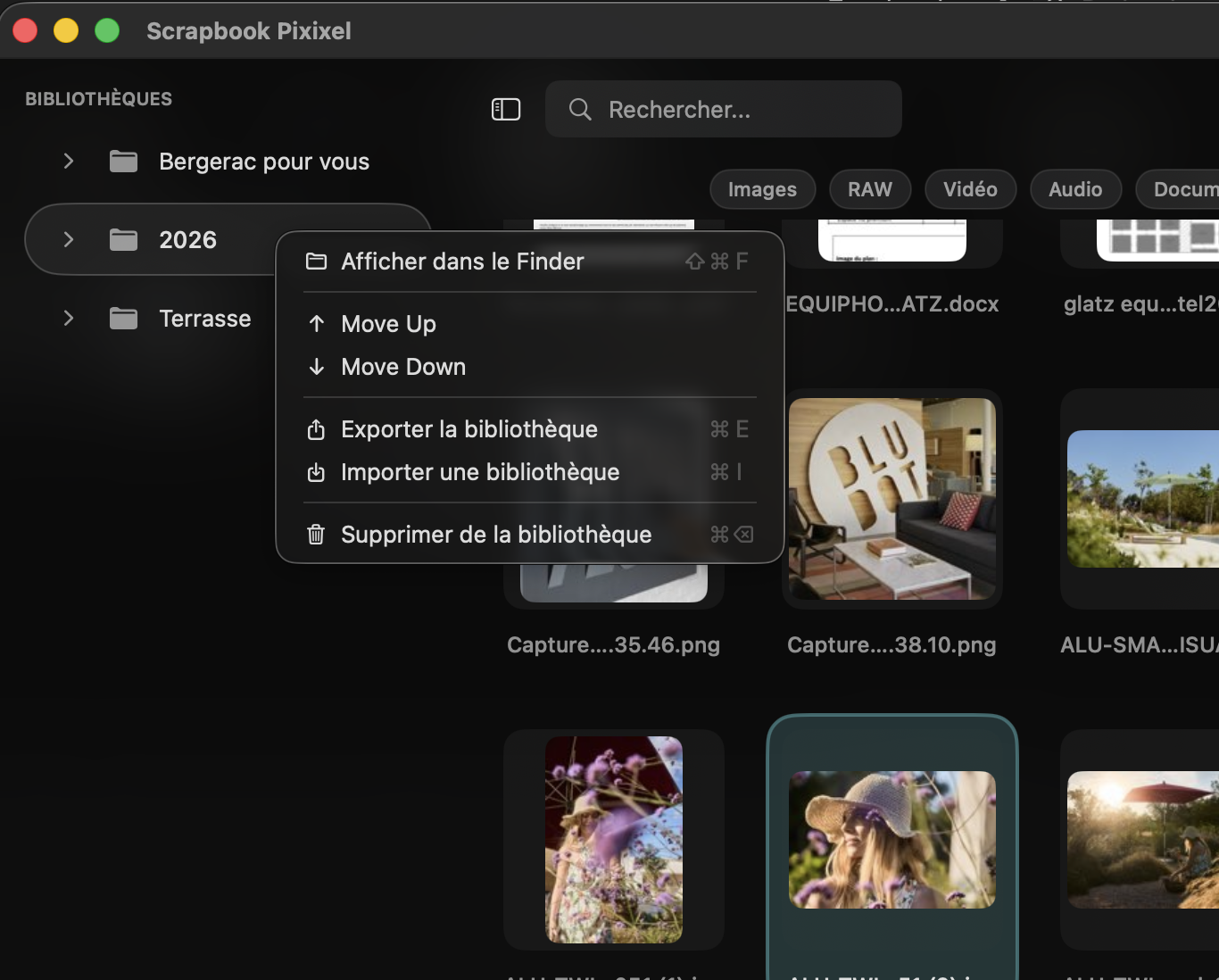
Organization
One grid, all your files.
Resizable thumbnails. Customizable color labels. Search by name. All from the keyboard.
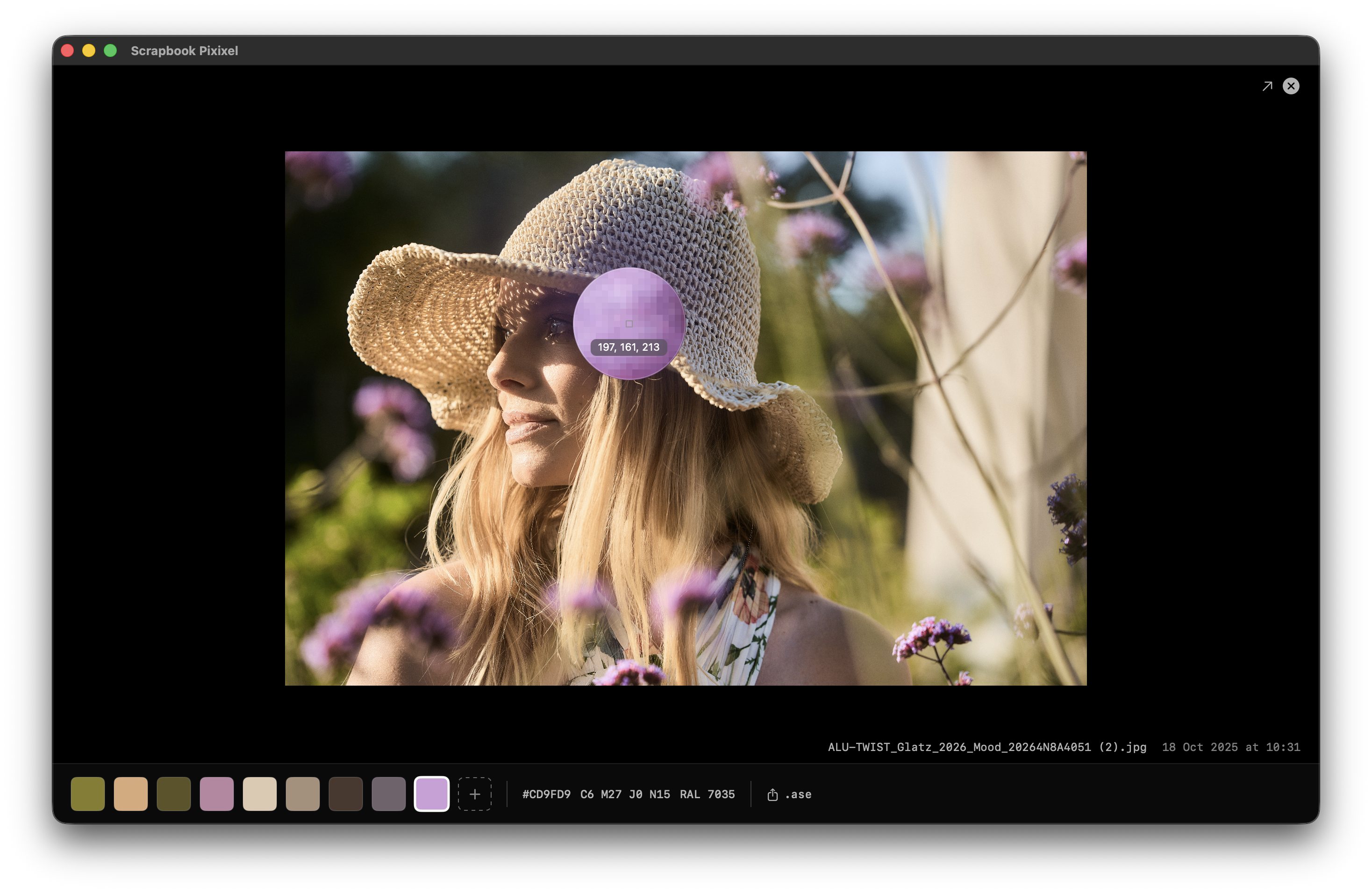
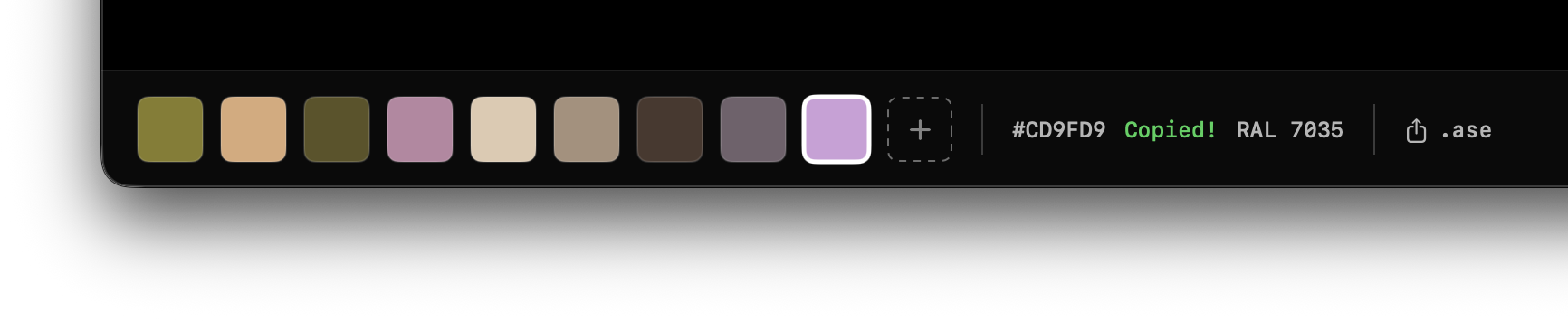
Colors
Automatic palette.
8 dominant colors extracted via K-means++ in CIE LAB. Copy as HEX, CMYK, RAL. Export .ase.
- 213 RAL Classic references
- Adobe Swatch Exchange (.ase) export
- System eyedropper for manual color picking
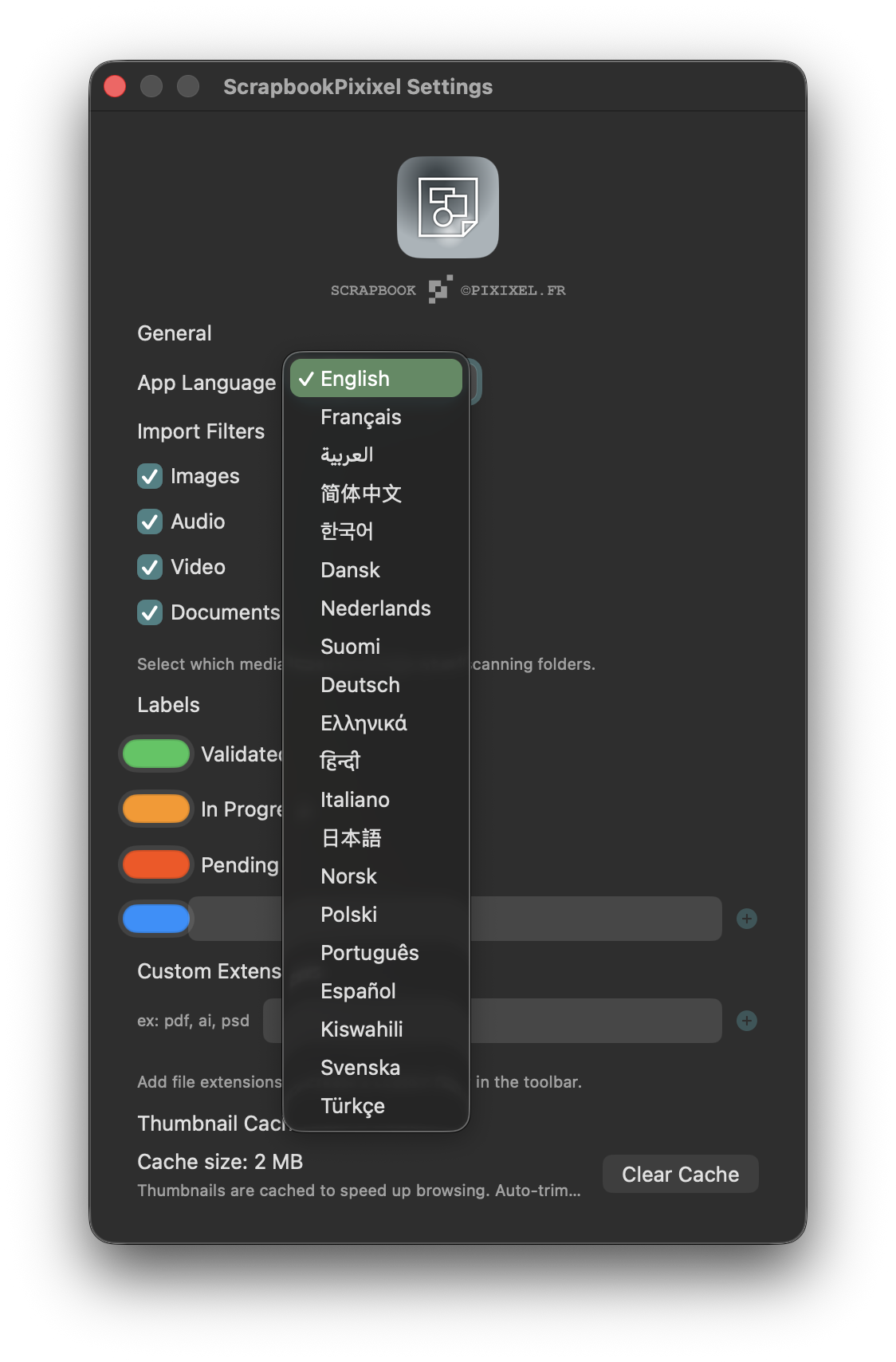
Settings
Customizable preferences.
Create your own color labels. Interface in 20 languages. Adapt the app to your workflow.
- 20 fully localized languages
- Color labels created on the fly
- Custom extension filters
Metadata
EXIF, IPTC — and your own fields.
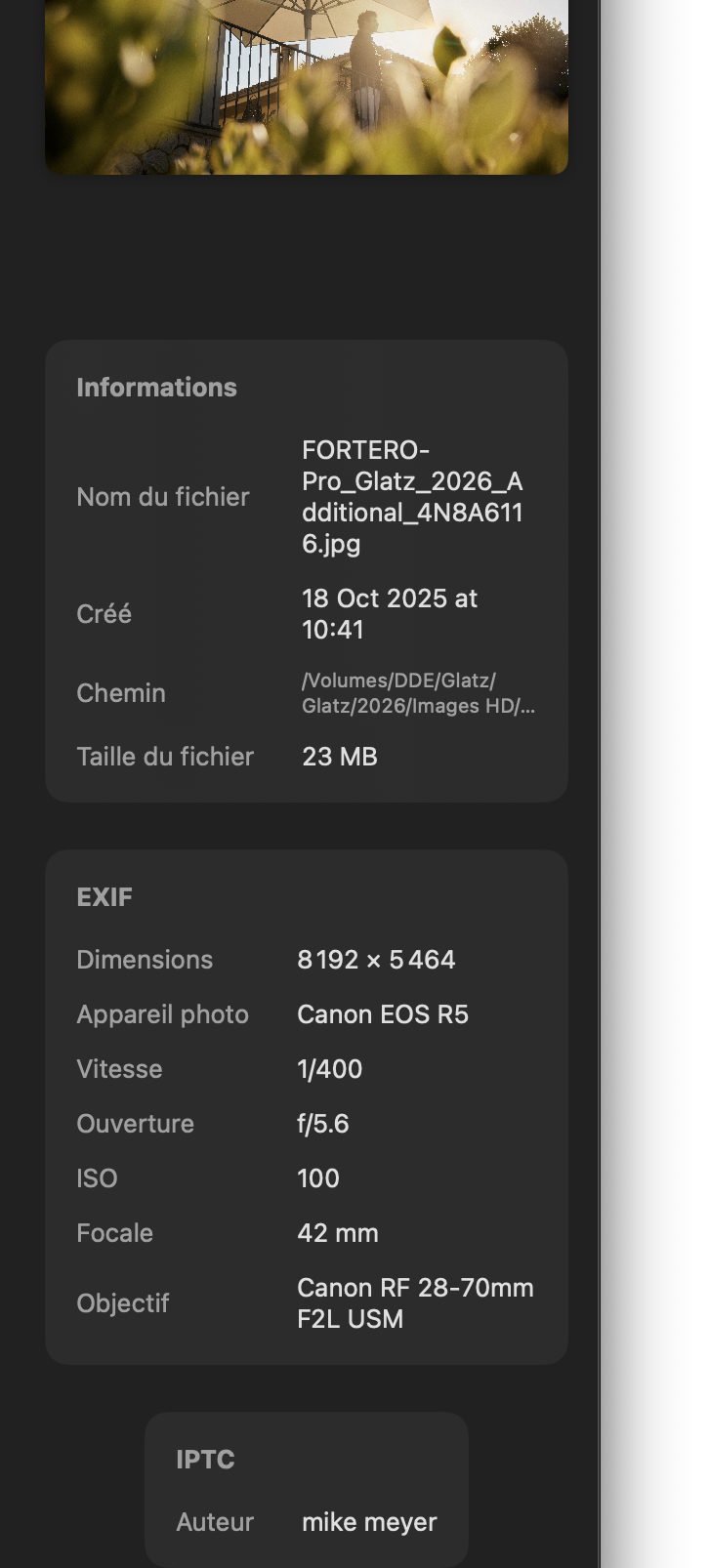
Camera, shutter speed, aperture, ISO, focal length, lens, dimensions, read-only. And your enrichments — title, keywords, description, copyright, custom fields — edited in batch, stored in your catalog. Your original files are never modified.
- Individual or batch editing (keywords, copyright, description…)
- Custom fields (Contract, ClientRef, Project…)
- Export as XMP sidecars for Lightroom, Capture One, Bridge

Workflow
Right-click + drag and drop.
Rich context menu. Multi-select to InDesign, Photoshop, Illustrator, Finder or any app.
- Drag & drop to any app or folder on your Mac
- Import folders by drag and drop
- Context menu: copy, finder, labels, palette